ClearML vs. SageMaker: What's the Difference?
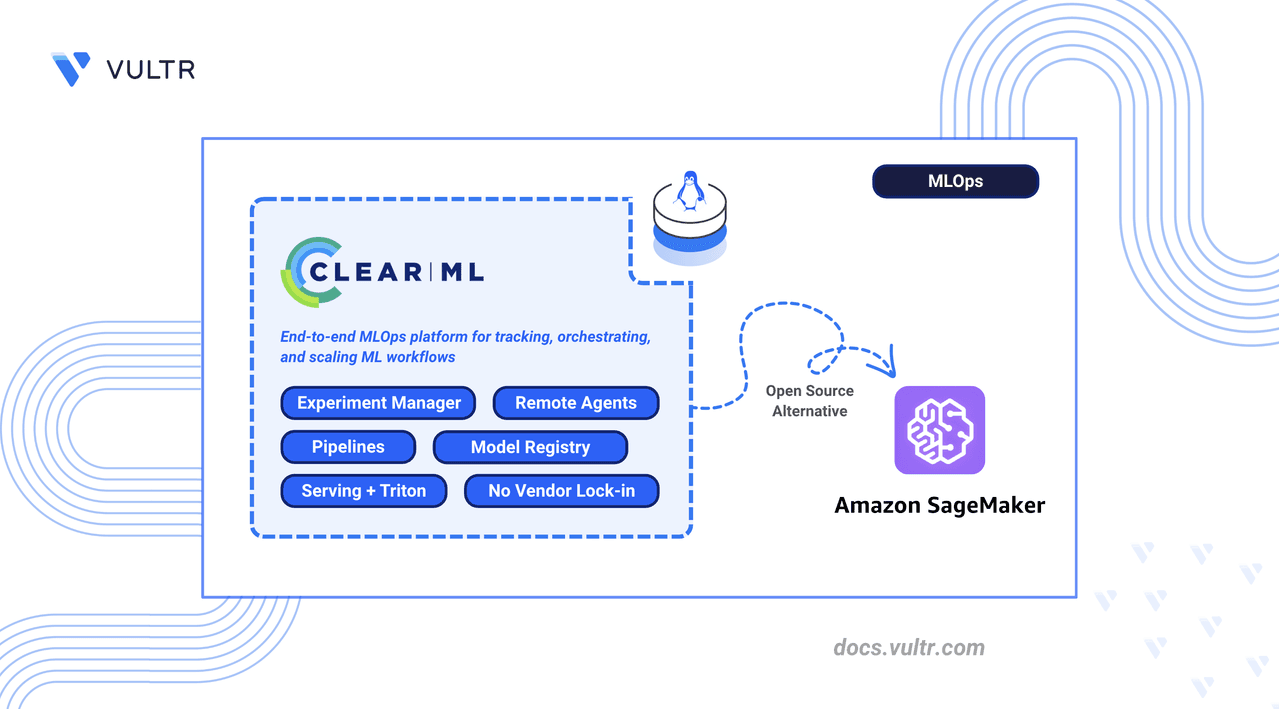
AWS SageMaker is a managed MLOps platform that abstracts infrastructure but locks you into AWS APIs and per-instance billing. ClearML is an open-source alternative you self-host on any cloud or on-premises hardware. It eliminates per-minute compute charges, removes AWS API dependencies, and automatically captures metrics, hyperparameters, and artifacts from existing training code without modification.
ClearML maps directly to SageMaker components:
| AWS SageMaker | ClearML Equivalent |
|---|---|
| SageMaker Studio | ClearML Web UI |
| SageMaker Experiments | ClearML Experiment Manager |
| SageMaker Training Jobs | ClearML Agent + Tasks |
| SageMaker Pipelines | ClearML Pipelines |
| SageMaker Model Registry | ClearML Model Repository |
| SageMaker Endpoints | ClearML Serving (Triton) |
| CloudWatch Metrics | ClearML Scalars/Plots |
Prerequisites
You need a Linux server (Ubuntu recommended) with sudo access, Docker and Docker Compose installed, and DNS A records pointing to your server's IP for three subdomains: app.clearml.example.com, api.clearml.example.com, and files.clearml.example.com. GPU workloads require the NVIDIA Container Toolkit on agent machines.
Deploy ClearML Server with Docker Compose
ClearML Server runs as a multi-container stack with Elasticsearch, MongoDB, and Redis. First, increase the virtual memory limit for Elasticsearch:
echo "vm.max_map_count=524288" | sudo tee /etc/sysctl.d/99-clearml.conf
sudo sysctl --system
sudo systemctl restart docker
Create persistent storage directories:
sudo mkdir -p /opt/clearml/{data/elastic_7,data/mongo_4/db,data/mongo_4/configdb,data/redis,data/fileserver,logs,config}
sudo chown -R 1000:1000 /opt/clearml
Download the official Docker Compose file:
curl -fsSL https://raw.githubusercontent.com/clearml/clearml-server/master/docker/docker-compose.yml -o docker-compose.yml
Edit docker-compose.yml to comment out direct port mappings for apiserver, webserver, and fileserver (Traefik will handle routing). Update the networks block to use named bridge networks:
networks:
  backend:
    name: clearml_backend
    driver: bridge
  frontend:
    name: clearml_frontend
    driver: bridge
Create an environment file for service URLs (replace clearml.example.com with your domain):
CLEARML_WEB_HOST=https://app.clearml.example.com
CLEARML_API_HOST=https://api.clearml.example.com
CLEARML_FILES_HOST=https://files.clearml.example.com
Start the services:
docker compose up -d
Verify all containers are running: clearml-webserver, clearml-apiserver, clearml-fileserver, clearml-mongo, clearml-elastic, and clearml-redis.
Configure Traefik Reverse Proxy
Traefik routes HTTPS traffic to ClearML services using subdomain-based routing with automatic Let's Encrypt certificates.
Create the Traefik directory and set up Let's Encrypt storage:
mkdir -p ~/clearml/traefik/letsencrypt
cd ~/clearml/traefik
touch letsencrypt/acme.json
chmod 600 letsencrypt/acme.json
Create a .env file with your email:
LETSENCRYPT_EMAIL=admin@example.com
Create docker-compose.yml for Traefik:
services:
  traefik:
    image: traefik:v3.6
    container_name: traefik
    command:
      - "--log.level=INFO"
      - "--providers.file.filename=/etc/traefik/dynamic_conf.yml"
      - "--entryPoints.web.address=:80"
      - "--entryPoints.websecure.address=:443"
      - "--entryPoints.web.http.redirections.entrypoint.to=websecure"
      - "--certificatesResolvers.le.acme.httpChallenge.entryPoint=web"
      - "--certificatesResolvers.le.acme.email=${LETSENCRYPT_EMAIL}"
      - "--certificatesResolvers.le.acme.storage=/letsencrypt/acme.json"
    ports:
      - "80:80"
      - "443:443"
    volumes:
      - "./letsencrypt:/letsencrypt"
      - "./dynamic_conf.yml:/etc/traefik/dynamic_conf.yml:ro"
    networks:
      - clearml-frontend
    restart: unless-stopped

networks:
  clearml-frontend:
    name: clearml_frontend
    external: true
Create dynamic_conf.yml with routing rules (replace clearml.example.com):
http:
  routers:
    clearml-web:
      rule: "Host(`app.clearml.example.com`)"
      entryPoints:
        - websecure
      service: clearml-web
      tls:
        certResolver: le
    clearml-api:
      rule: "Host(`api.clearml.example.com`)"
      entryPoints:
        - websecure
      service: clearml-api
      tls:
        certResolver: le
    clearml-files:
      rule: "Host(`files.clearml.example.com`)"
      entryPoints:
        - websecure
      service: clearml-files
      tls:
        certResolver: le
  services:
    clearml-web:
      loadBalancer:
        servers:
          - url: "http://clearml-webserver:80"
    clearml-api:
      loadBalancer:
        servers:
          - url: "http://clearml-apiserver:8008"
    clearml-files:
      loadBalancer:
        servers:
          - url: "http://clearml-fileserver:8081"
Start Traefik:
docker compose up -d
Verify certificates:
docker logs traefik 2>&1 | grep -i certificate
Configure ClearML Server
Open https://app.clearml.example.com in a browser. Create the admin account (username, company name). Navigate to Settings > Workspace > Create new credentials to generate API credentials. Save the credentials block:
api {
  web_server: https://app.clearml.example.com
  api_server: https://api.clearml.example.com
  files_server: https://files.clearml.example.com
  credentials {
    "access_key" = "YOUR_ACCESS_KEY"
    "secret_key" = "YOUR_SECRET_KEY"
  }
}
Deploy ClearML Agents
ClearML Agent turns any machine into a remote worker. Install on the same server or a dedicated GPU instance:
mkdir -p ~/clearml-agent && cd ~/clearml-agent
sudo apt install python3.12-venv -y
python3 -m venv clearml_venv
source clearml_venv/bin/activate
pip install clearml-agent
Initialize the agent with clearml-agent init and paste the credentials block. Start the agent on the default queue:
clearml-agent daemon --queue default --detached
For GPU workloads, specify GPU indices:
clearml-agent daemon --gpus 0,1 --queue default --detached
Verify the agent appears in the ClearML Web UI under Workers & Queues.
Install ClearML SDK and Run an Experiment
In the same virtual environment, install the SDK:
pip install clearml scikit-learn joblib pandas
Configure the SDK with clearml init (paste credentials). Create an experiment script:
import joblib
from clearml import Task
from sklearn.datasets import load_iris
from sklearn.model_selection import train_test_split
from sklearn.ensemble import RandomForestClassifier

Task.add_requirements('scikit-learn')
Task.add_requirements('joblib')

task = Task.init(project_name='Tutorial', task_name='Random Forest Iris')

iris = load_iris()
X_train, X_test, y_train, y_test = train_test_split(iris.data, iris.target, test_size=0.2, random_state=42)

params = {'n_estimators': 100, 'max_depth': 3}
task.connect(params)

clf = RandomForestClassifier(**params)
clf.fit(X_train, y_train)

accuracy = clf.score(X_test, y_test)
print(f'Accuracy: {accuracy}')

joblib.dump(clf, 'model.pkl')
task.upload_artifact('model', 'model.pkl')
Run the script:
python 01_first_experiment.py
View the experiment in the ClearML Web UI under Projects > Tutorial.
Why It Matters
ClearML gives you a self-hosted MLOps stack that matches SageMaker's capabilities without vendor lock-in or per-minute compute costs. You can run it on any cloud or on-premises, and it automatically captures experiment metadata from existing code. This tutorial shows a complete deployment from server setup to running your first tracked experiment.