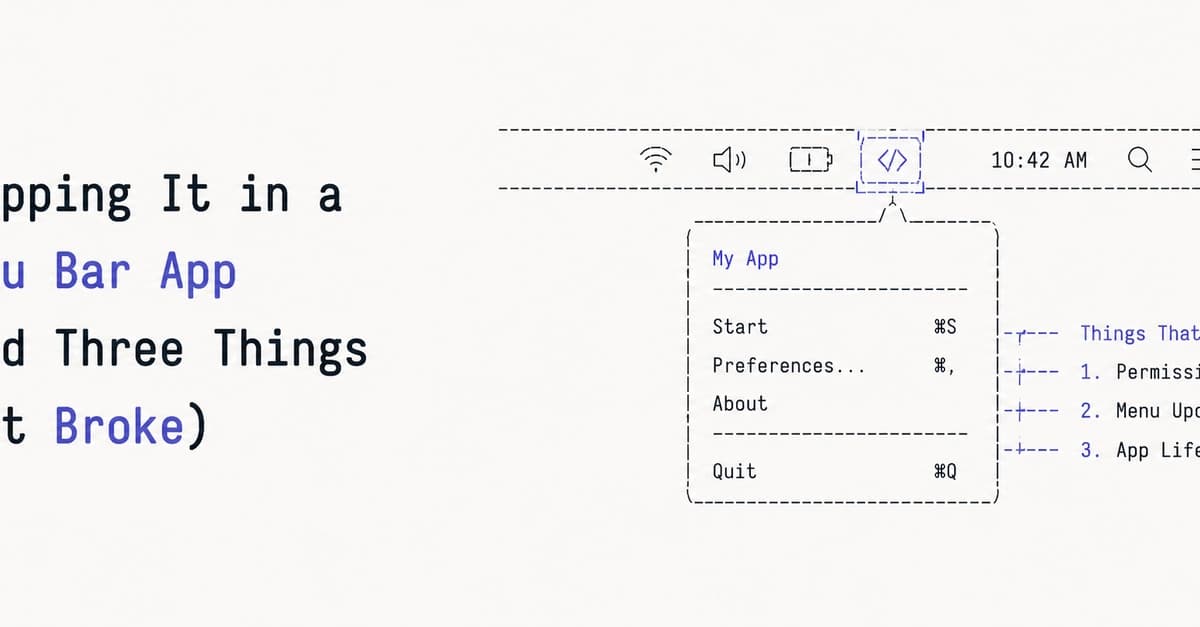
The Crash Before Anything Renders
Building a menu bar app for a Razer mouse on macOS hits three OS-level walls. The first: NSApp is nil at launch.
@main
struct RazerControlApp: App {
    init() {
        NSApp.setActivationPolicy(.accessory) // crash: NSApp is nil
    }
    var body: some Scene { ... }
}
NSApp is an implicitly unwrapped optional (NSApplication!). The app object's init() fires before the shared application is set up, so NSApp is still nil. The force-unwrap explodes with a fatal error. This is especially common on newer projects using @MainActor, where the timing of init() lands before NSApp exists.
The fix: use a plist key instead of code. Set LSUIElement = YES (or INFOPLIST_KEY_LSUIElement = YES in build settings). This is read by the launch machinery before your App struct is ever created, so there's no race and no NSApp to unwrap. Delete the init() entirely. No code, no crash, no Dock icon.
macOS Won't Let the App Touch the Mouse
App launches now, but connecting to the device fails with:
TCC deny IOHIDDeviceOpen
RazerControl: device not found
IOHIDDeviceOpen on a mouse requires Input Monitoring permission. The command-line tool worked because it ran from Terminal, and Terminal already had Input Monitoring. A fresh signed .app has nothing. macOS won't pop the permission dialog on its own. You have to ask explicitly:
let access = IOHIDCheckAccess(kIOHIDRequestTypeListenEvent)
if access == kIOHIDAccessTypeUnknown {
    IOHIDRequestAccess(kIOHIDRequestTypeListenEvent)
} else if access == kIOHIDAccessTypeDenied {
    // user said no earlier — send them to System Settings
}
Note: kIOHIDRequestTypeListenEvent is a plain constant, not a Swift enum case, so it's kIOHIDRequestTypeListenEvent and not .listenEvent. That cost a compile error. First launch shows the system prompt. If the user denied it before, the prompt won't come back, so the app needs to detect that case and point them at System Settings rather than silently failing.
MenuBarExtra Has Two Personalities
The popover opened, but layout was wrong. Everything stacked vertically like a dropdown menu. HStack of buttons rendered as separate rows. The color picker wouldn't open. Frame widths were ignored.
MenuBarExtra has two render styles. The default is .menu, which puts your content inside a real NSMenu, so every view becomes a menu item and normal layout doesn't apply. The other is .window, which renders your SwiftUI in an actual floating panel where layout works like everywhere else.
MenuBarExtra("RazerControl", systemImage: "computermouse.fill") {
    MenuBarView()
}
.menuBarExtraStyle(.window)
One modifier. Suddenly HStacks are horizontal, widths apply, the popover looks like a popover.
The Color Picker That Wouldn't Open
SwiftUI's ColorPicker renders a little well; click it and the system color panel opens. Except in this app, clicking did nothing. ColorPicker relies on NSColorPanel. An accessory app (the LSUIElement from earlier) can't reliably bring up that panel, because it isn't allowed to become active the normal way, and the menu bar window dismisses the moment focus moves. So the panel either opens behind everything or never shows.
The author replaced the picker with a row of preset swatches:
private let palette: [Color] = [
    .red, .orange, .yellow, .green, .cyan, .blue, .purple, .pink, .white
]
// tap a swatch -> apply immediately, ring the selected one
No NSColorPanel, no activation problem, and honestly better for a quick menu. Tap red, the logo's red. Done. The "fix" was less code and a nicer interaction than the thing that was broken.
What's Next
Part 5 covers button remapping, which the author expected to be easy but turned out to be the hardest. They spent an evening reverse-engineering the firmware command, got the device to accept writes, but nothing happened. They eventually solved it a different way — that story is its own post.