A €4,570 Robotics Setup That Fits on Your Desk
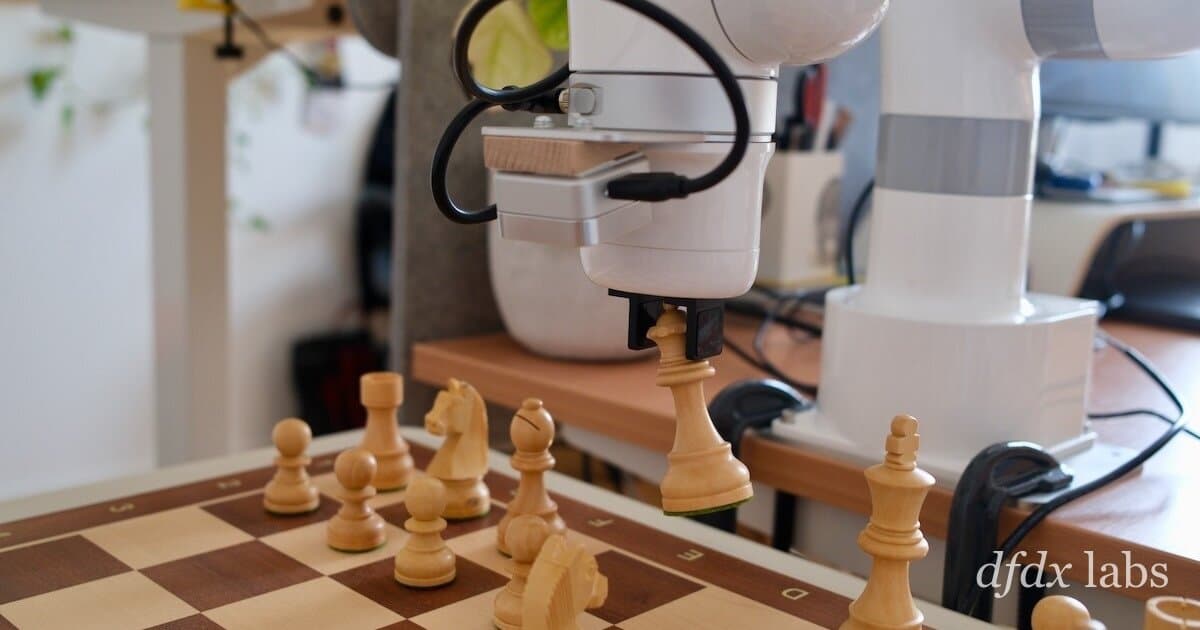
Robotics research just got a lot more accessible. A former OpenAI researcher built a full tabletop manipulation setup with an industrial-grade robot arm, two cameras, and teleoperation for under €5,000 — less than half the €10,000 budget he set. The entire system sits next to his desk.
The Hardware
Robot Arm: UFACTORY xArm Lite 6 (€3,403)
The core of the setup is the UFACTORY xArm Lite 6, a 6-axis industrial arm. The author chose it over cheaper options like the LeRobot SO-101 because industrial arms "just work and they rarely break." The arm comes with a Python SDK, web interface, and safety features like self-collision avoidance and force sensing. Setup took 30 minutes from unboxing to first operation.
The gripper is the weakest component — a pneumatically actuated parallel gripper that's noisy and weak. It can only grasp small objects unless you manually swap the fingers for a wider configuration (which then prevents full closure). The arm has a standard end-effector mount, so swapping to a Robotiq or vacuum gripper is possible.
Cameras: Intel RealSense D405 (€303) + Logitech C920 (€48)
The D405 is wrist-mounted for close-up depth sensing (7-50 cm range, global shutter). The C920 provides a static overhead view. The author deliberately avoids a fixed lab setup, noting that "for robots to become truly useful, they must work under exactly these circumstances" — changing lighting and backgrounds.
Teleoperation: 3Dconnexion SpaceMouse Wireless (€175)
A 6-DOF space mouse controls the arm directly. The author uses a foldable IKEA table (€50) to separate his workspace from the robot's, minimizing clutter interference.
Total Bill of Materials
| Component | Price |
|---|---|
| UFACTORY xArm Lite 6 | €3,403 |
| Gripper | €445 |
| Camera mount | €89 |
| Intel RealSense D405 | €303 |
| Logitech C920 | €48 |
| USB cable (3m) | €20 |
| Magic arm | €29 |
| SpaceMouse | €175 |
| Cable clips | €8 |
| IKEA table | €50 |
| Total | €4,570 |
Compute (e.g., an NVIDIA DGX Spark) is extra but the author assumes most researchers already have GPU hardware.
The Software Stack
The author wrote a custom Python stack from scratch. Key design decisions:
- Unopinionated: He chose the UFACTORY arm partly because its Python SDK is simple and doesn't force a framework.
- TCP space actuation: The arm accepts Cartesian pose commands, and the onboard controller handles inverse kinematics. This is the primary control mode.
- Camera integration: The RealSense D405 streams 16-bit depth and RGB at up to 90 FPS via librealsense2. The Logitech C920 uses OpenCV.
- Teleoperation loop: The SpaceMouse sends velocity commands; the software maps 6-DOF input to TCP velocity setpoints.
A typical data collection script looks like:
import xarm
import pyrealsense2 as rs

# Initialize arm
arm = xarm.Controller('192.168.1.100')
arm.set_mode(0)  # position control

# Initialize camera
pipeline = rs.pipeline()
config = rs.config()
config.enable_stream(rs.stream.color, 640, 480, rs.format.bgr8, 30)
pipeline.start(config)

# Teleoperation loop
while True:
    # Read SpaceMouse
    dx, dy, dz, rx, ry, rz = get_spacemouse_input()
    # Convert to TCP velocity
    arm.set_tcp_velocity([dx*0.01, dy*0.01, dz*0.01, rx*0.1, ry*0.1, rz*0.1])
    # Record camera frame
    frames = pipeline.wait_for_frames()
    color_frame = frames.get_color_frame()
    # Save frame with timestamp and joint state
    save_observation(color_frame, arm.get_joint_states())
Why This Matters for Solo Researchers
This setup costs an order of magnitude less than comparable lab setups from 2019-2020. The author estimates that what once required a team of 20 can now be tackled by one person with a desk-sized robot. He plans to spend the next months doing open research on manipulation — not necessarily publishing papers, but logging what works and what fails.
Limitations
- Single arm only (no bimanual tasks like folding clothes)
- Gripper is weak and noisy
- No force/torque sensor in the gripper
- Messy data due to changing backgrounds — but that's intentional
The author acknowledges these constraints and sees them as features: the policy must compensate with behavior, pushing objects against the table or using the environment.
Bottom Line
The barrier to entry for real robotics research has dropped dramatically. For under €5,000 (plus compute), you can have a working teleoperation setup that would have cost €40,000+ five years ago. If you're interested in manipulation research, this bill of materials and software approach is worth studying.