What Changed?
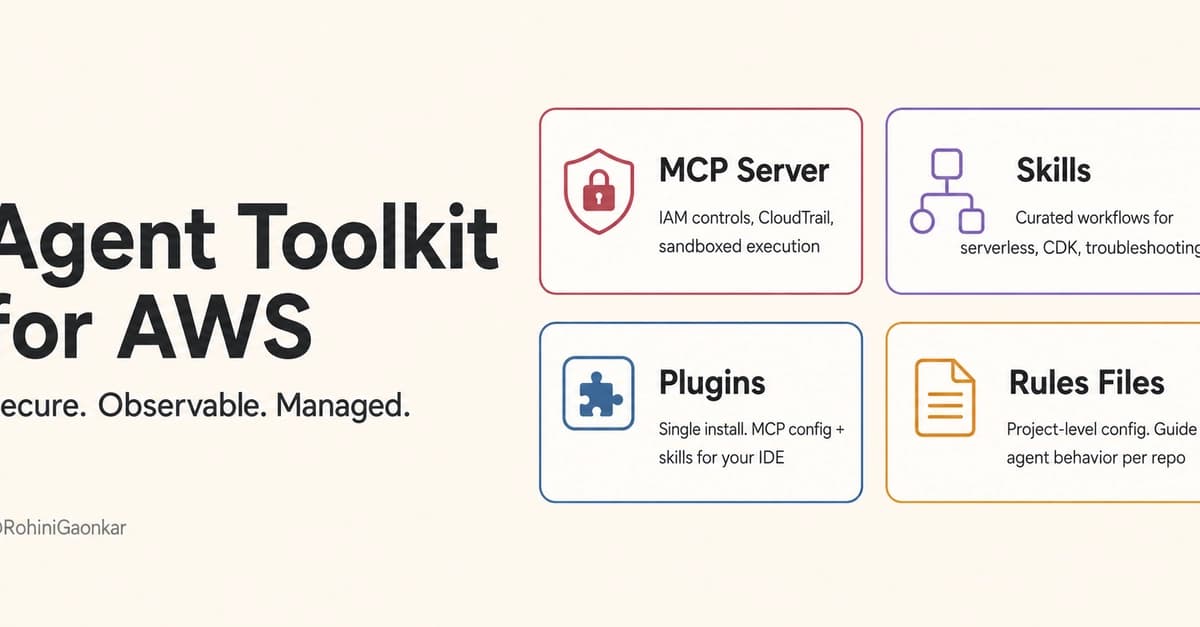
The Agent Toolkit for AWS is the official AWS-managed suite of tools for AI coding agents. It includes four components: a managed MCP server, curated skills (step-by-step workflows), IDE plugins, and project-level rules files.
Security That Actually Works
The old community MCP server from awslabs passed your full credentials to the agent with zero restrictions. The new managed AWS MCP Server supports IAM condition keys. You can restrict exactly which actions the agent can perform.
For example, this IAM policy prevents the agent from deleting S3 buckets, even if your own credentials allow it:
{
  "Effect": "Deny",
  "Action": "s3:DeleteBucket",
  "Resource": "*",
  "Condition": {
    "Bool": {
      "aws:CalledViaAWSMCP": "true"
    }
  }
}
You still have full access. The agent doesn't.
Every API call goes through CloudTrail with invokedBy: aws-mcp.amazonaws.com. Metrics flow to CloudWatch. You get a full audit trail.
Sandboxed Code Execution
The toolkit includes a sandboxed Python runtime with boto3 access. Agents can write and run multi-step scripts remotely without touching your local machine. The agent wrote a boto3 call, ran it remotely, and returned structured results.
Built-in Documentation Search
No more running a separate documentation MCP server. The Agent Toolkit has native tools to search AWS docs, read full pages, get content recommendations, and check regional availability.
Expert Skills
Curated workflows go beyond documentation. For example, the aws-serverless skill covers Lambda, API Gateway, Step Functions, EventBridge, SAM, and CDK with guidance on cold starts, CORS debugging, concurrency, and production readiness.
Multi-Profile Support
If you work across multiple AWS accounts, there's built-in profile switching. Pass --profile in the config and the agent routes requests through the right credentials.
Side-by-Side Comparison
| Feature | Old (awslabs.aws-api-mcp-server) | New (Agent Toolkit aws-mcp) |
|---|---|---|
| Type | Community/labs, runs locally | Official AWS-managed remote server |
| Auth | Local credentials, no restrictions | SigV4 + IAM condition keys |
| Security | No guardrails | Fine-grained IAM controls |
| Observability | None | CloudWatch + CloudTrail |
| Code execution | Not available | Sandboxed Python with boto3 |
| Skills | Not included | Curated expert workflows |
| Documentation | Needed separate server | Built-in search + read |
| Maintenance | Manual uvx updates | AWS-managed, always current |
| Multi-profile | Not supported | Built-in |
Getting Started
Prerequisites:
- AWS CLI v2.32.0+
- uv installed
- Valid AWS credentials
The Agent Toolkit itself is free. You only pay for AWS resources your agent provisions. Default quota: 3 requests per second per account.
Disable conflicting servers first. Then configure MCP. For Kiro, add this to ~/.kiro/settings/mcp.json:
{
  "mcpServers": {
    "aws-mcp": {
      "command": "uvx",
      "timeout": 100000,
      "transport": "stdio",
      "args": [
        "mcp-proxy-for-aws==1.6.0",
        "https://aws-mcp.us-east-1.api.aws/mcp",
        "--metadata", "AWS_REGION=us-west-2"
      ]
    }
  }
}
For named profiles, add --profile your-profile-name to args.
Verify by asking your agent: "List my S3 buckets".
